


LCD Display Market Overview: Types, Sizes & Key Specs
Market estimates continue to show that LCD Display technology accounts for a large share of global shipments, driven by volumes in smartphones, laptops, monitors, industrial modules, and large-format signage.
Strategic Framework
This data-driven introduction frames panel choices around three practical axes—power, cost, and image quality—enabling engineers and procurement teams to map application priorities to suitable panel classes.
Selection Balance
Across consumer and industrial segments, buyers balance unit economics against lifecycle and integration risk for efficient US-market deployments and long-term sustainability.
Market Background & LCD Display Fundamentals
What "LCD display" means
At the component level, an LCD display is a stacked assembly: a liquid-crystal layer between polarized substrates, a backlight, polarizers, and driver electronics. Panels include a glass or plastic substrate, thin-film transistors or segments, and integrated timing/controllers.
Core LCD Panel Types
Major matrix technologies—TN, IPS, VA, and MVA/PLS derivatives—offer distinct mixes of color, viewing angle, cost, and response.
| Panel Type | Strengths | Best Use Case |
|---|---|---|
| TN | Low cost, fast response | Budget gaming, basic UI |
| IPS | Color accuracy, wide angles | Workstations, high-end Mobile |
| VA | High contrast, deep blacks | TVs, Digital Signage |
Sizes & Form Factors
Consumer & IT Sizes
Industrial & Embedded
Industrial form factors emphasize custom sizes, ruggedization, and long-term availability.
- ▶Mid-size instrument panels (4–17")
- ▶Extended temperature range support
- ▶Custom bezel width and VESA mounting
Key Specifications Explained
Optical & Electrical Performance
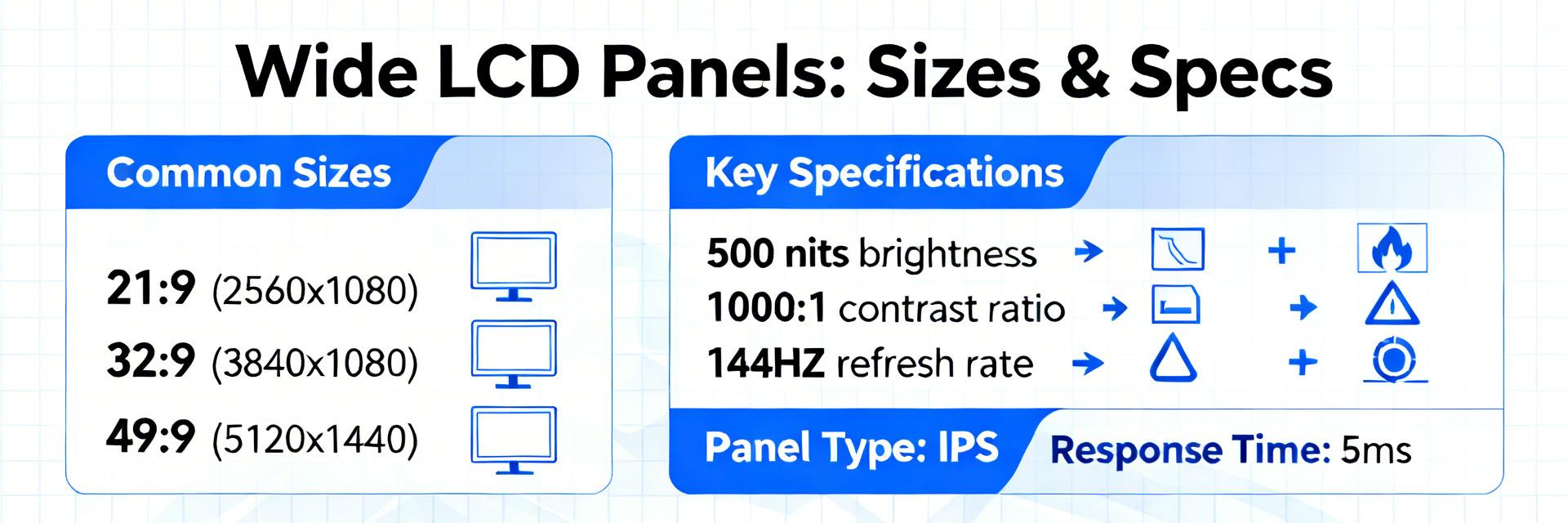
Resolution (PPI), brightness (nits), and contrast ratios are primary determinants of quality. Higher PPI improves clarity for handheld use, while 500+ nits are required for readability in bright environments.
Pro Tip: Evaluate brightness-per-watt for battery-powered products to maximize efficiency without sacrificing visibility.
Motion & Viewability
Refresh rates (60Hz to 144Hz+) and response times govern motion handling. For collaborative displays or control rooms, wide-angle technologies (IPS/VA) are non-negotiable to maintain color consistency.
Metrics: Response time (gray-to-gray) directly affects motion blur in high-speed applications.
Integration & Implementation Trade-offs
Interface Selection
Interface choice affects design complexity:
- MIPI Optimized for SOC-based mobile products
- eDP Standard for high-resolution PC/Laptop panels
- LVDS Robust choice for industrial embedded systems
Procurement Risk Management
Mitigate supply chain volatility by balancing unit price against reliability targets and obsolescence risk.
Plan for firmware/driver support and maintain spare-part pools for long-lifecycle industrial products to avoid costly redesigns.
Market Trends & Buyer Checklist
📈 Key Trends
Mini-LED backlights, narrower bezels, and higher resolutions in mid-size panels are reshaping the market landscape. Consolidation is improving pixel density while creating potential lead-time volatility.
✅ Quick Checklist
- Define Application Priority
- Confirm Interface Compatibility
- Verify Environmental Ratings
- Validate Lead-time Tolerance
Summary & Key Takeaways
LCD technology remains a cost-effective, flexible choice across a wide span of sizes and use cases. Success lies in matching application priorities to panel families (TN/IPS/VA) and aligning specs to ergonomic needs.